Konami Retail Rating Support for Non-Gaming Spend
Stay is enhanced to support retail rating processing for Konami Casino Management System (CMS), enabling eligible guest’s non-gaming spend to be tracked and recorded as retail ratings in Konami.
For example, an eligible guest charges $150 in non-gaming purchases to the room during the stay. When the spend qualifies for retail rating, the $150 is recorded in Konami as a retail rating, allowing the guest’s qualifying non-gaming spend to be tracked in Konami.
To support this enhancement, the following changes have been made to the Casino section of the Konami interface (Interfaces ➜ Cloud Settings ➜ Settings ➜ Konami ➜ Casino):
-
A new flag, Retail Rating Enabled, has been added. This flag supports the following functionality:
-
Enabled: When enabled, eligible guest non-gaming spend is processed as retail ratings after the guest checks out and the folio balance is fully settled.
-
Disabled: When disabled, retail rating processing is not performed. This flag is disabled by default.
-
-
A new field, Asset Number, has been added. This field is pre-populated with the value, 4888, and can be modified as needed. The configured asset number must match the corresponding device number used by Konami.
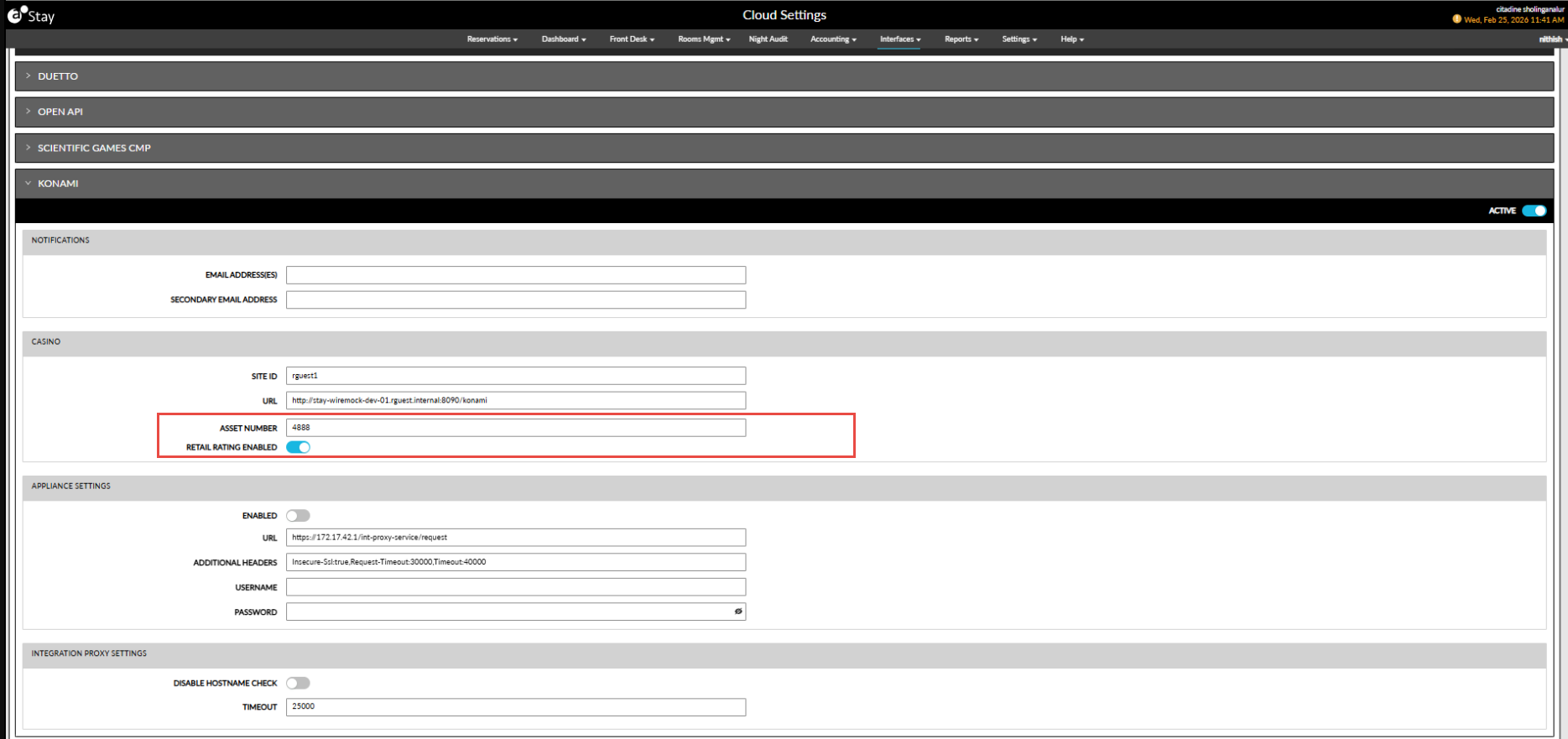
When the Retail Rating flag is enabled and the Konami interface is active, eligible non-gaming guest charges are processed as retail ratings.
Retail rating processing occurs in the following scenarios:
-
When a folio is generated with a zero outstanding balance.
-
When an open folio is fully settled and the outstanding balance becomes zero.
-
During the night audit after the guest has checked out.
The retail rating amount is calculated using all guest folio items configured as eligible in the Point Issuance configuration (Interfaces ➜ CMS Settings ➜ Point Issuance). Charges routed to another guest account or to third-party folios are excluded from the retail rating calculation.
Retail ratings are processed only when the following conditions are satisfied:
-
The Konami interface is configured and active.
-
Required categories and items are configured in the Point Issuance tab.
-
The reservation is in the Departed/Checked Out status.
-
The guest folio balance is zero.